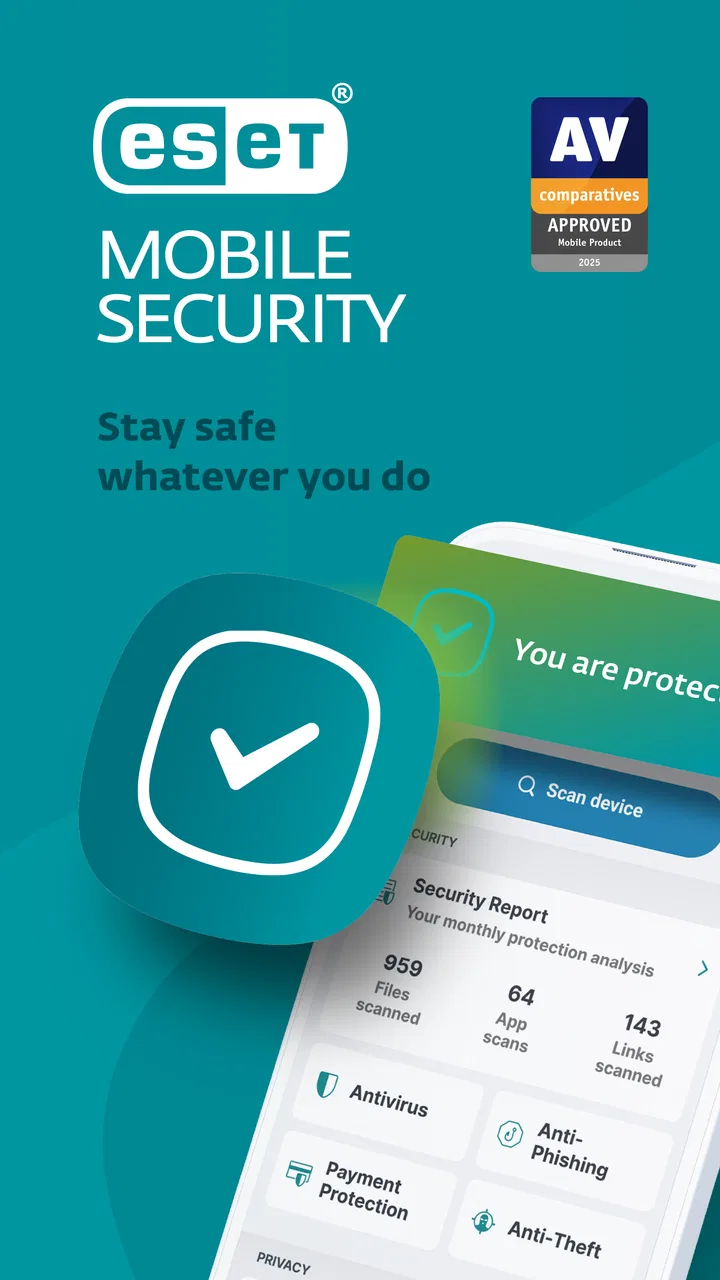
ESET Mobile Security Antivirus
- 4.7
- Rating
- 10.00M
- Installs
- Free
- Price

 Analysis by App-foxy
I installed ESET Mobile Security Antivirus to see whether its main promise holds up in ordinary phone use: keeping an Android device safer without turning security into a constant chore. My overall impression is that ESET takes a practical, protective approach. It is not trying to become a complete phone-maintenance suite or a flashy privacy dashboard. Instead, it focuses attention on threats that can arrive through apps, files, websites, and suspicious activity, while keeping the experience familiar enough for people who do not want to study security settings.
That focus matters because mobile antivirus is easy to misunderstand. A security app cannot make every download harmless, and it cannot replace sensible decisions when a message asks for sensitive information. What it can do is add another checkpoint between your phone and risky content. In my experience, that is where ESET Mobile Security is most useful: it gives everyday Android users a second opinion when installing software, browsing unfamiliar pages, or checking whether a device still looks clean.
Protection that works as a second checkpoint
The capability I found most valuable is the app’s approach to scanning and checking for malicious software. Rather than waiting for a problem to become obvious, it gives you a way to inspect the phone and the applications on it. That sounds simple, but the practical benefit is easy to underestimate. Many people install an app because it looks useful, then forget where it came from or what else it may bring along. A security scan creates a deliberate moment to review that decision.
You May Also Like

 Blood Strike: 2.5 Anniversary
Blood Strike’s Loadouts Turn Every Drop Into a Tactical Gamble
A close look at Blood Strike’s custom loadouts: how fast access to signature weapons reshapes its battle royale rhythm, rewards preparation, and narrows the gap between fights.

 Pandora - Music & Podcasts
Pandora’s Music Is Easy to Start, but Harder to Recover
Pandora’s strength is its low-effort path from a seed to a station. Its weak spot is how much confidence it asks you to place in connection, setup, and quiet recovery.

 8 Ball Pool
 Is Built on Rivalries, Rematches, and Routine
A close look at the rivalries, rematches, shared routines, and unanswered safety questions that turn a quick pool match into a persistent mobile community.

 Samsung Music
’s Quiet Strength Is Playing What You Already Own
Its reach comes less from spectacle than from dependable access to a personal library. That simplicity is both the app’s strongest retention engine and its ceiling.

 AccuWeather: Weather Radar
AccuWeather Review: A Quick, Clear Forecast for Everyday Decisions
For everyday plans, the best forecast is the one you can understand quickly. AccuWeather makes rain timing, radar, and local conditions easy to act on, with a few trade-offs.

 Hill Climb Racing
Why Hill Climb Racing Still Turns Crashes Into One More Run
A tiny car, a bumpy hill and one more upgrade: Hill Climb Racing keeps resurfacing because its simple chaos makes every near-miss feel personal.
More From Our News Desk



I like this model because it supports two habits at once. You can use the app as background reassurance during normal phone use, but you can also open it manually after a questionable download or before handing the device to someone else. Those are different needs. A quick check after installing software is more useful than blindly assuming that every app in circulation is safe, while regular protection is less demanding than remembering to investigate every file yourself.
ESET is developed by ESET and sits in the Tools category, which feels appropriate. The interface is built around practical device protection rather than entertainment or social interaction. The app is free to install, although purchases inside the app range from $1.49 to $99.99 per item. That distinction is important: you can begin without paying, but you should review the available upgrade prompts carefully before deciding which protection level fits your habits.
The service has been available since August 5, 2013, and the current version is 12.0.17.0. Its long presence is reassuring to me because mobile security needs ongoing attention as threats change. Still, longevity should not be treated as a guarantee by itself. I would judge the app by how well it fits my routine, how clearly it presents warnings, and whether I am willing to respond when it asks me to take action.
What the scanning approach changes in daily use
The biggest practical difference is that security becomes a repeatable workflow instead of a vague feeling. If I download an unfamiliar utility, receive a file from a contact whose account may have been compromised, or notice unusual behavior after installing something, I have a clear next step: open the security app and inspect the device. That does not prove that a clean result makes every source trustworthy, but it reduces the chance that I simply ignore a warning sign.
A useful habit is to scan after a burst of experimentation. People often install several apps while looking for a better keyboard, photo editor, travel tool, or streaming companion. If the phone begins showing intrusive ads, draining power unusually quickly, or behaving differently, it can be difficult to identify the cause from memory. Checking the device before removing random apps gives the investigation some structure. I would then review recently installed software and remove anything I no longer need.
This is also where I see a trade-off. A security tool is only helpful when its alerts are understandable. If a warning feels too technical, many users will dismiss it without changing anything. I prefer to pause and ask what the alert means, what action it recommends, and whether the app involved is genuinely necessary. ESET’s value is therefore connected to user attention. The protection is not a substitute for reading a warning; it is a reason to stop and read one.
Another overlooked benefit is confidence when using a less familiar device. If I were helping a family member with an Android phone, I would rather establish a basic security routine than simply tell them never to install anything new. A scan can become part of monthly maintenance, alongside removing unused apps and checking account activity. That workflow is especially useful for people who are comfortable using a phone but do not know how to investigate suspicious software themselves.
A realistic example: the questionable download
Imagine that I am searching for a tool to convert a document while travelling. I find an app outside my usual choices, install it, and later notice that it behaves more aggressively than expected. It may display unusual prompts or make the phone feel less predictable. My first response should not be to grant more permissions or enter account details just to make the app work. I would disconnect from sensitive activity, run a check with ESET, and then decide whether the questionable app deserves to remain installed.
The important point is not that the scanner magically solves the entire incident. It gives me a disciplined order of operations. Stop interacting with the suspicious app, inspect the device, remove software I do not trust, and change important credentials from a safer device if necessary. That sequence is more useful than simply installing antivirus software and forgetting it exists. The app can support the first part of the response, but good security still requires judgment.
For parents, older relatives, or anyone who often installs apps based on a promising screenshot, that extra checkpoint can be valuable. It does not have to become a complicated technical lesson. I would explain that the app is there to check the phone when something feels wrong, not to approve every decision automatically. That framing keeps expectations realistic and makes the tool easier to use.
Where it fits beside ordinary Android protection
Android already includes security measures, so the question is not whether ESET is the only layer that matters. The more useful question is whether an additional security app adds enough reassurance and control for a particular person. For someone who installs very little, keeps the operating system current, uses familiar stores, and ignores suspicious links, built-in protection may be sufficient. Adding another app could feel unnecessary.
ESET makes more sense when I want a dedicated place to check the device rather than relying entirely on background protections I rarely see. It is also a better fit for people who download a wider range of software, move files between devices, or regularly help less technical family members. In those cases, a visible security tool can make good habits easier to remember.
Compared with a lightweight cleaner or battery optimizer, this app has a narrower and more worthwhile purpose. I would not install it expecting it to solve storage clutter, speed up every phone, or replace careful account management. Those alternatives may be useful for different tasks, but they do not address the same concern. Conversely, a full privacy-focused security suite may be a better choice for someone who wants extensive identity, network, or account monitoring in one package. ESET’s appeal is its emphasis on mobile malware protection rather than trying to be everything at once.
The trade-offs I would consider before installing
The first trade-off is attention. Security software may ask me to respond to alerts, review settings, or consider paid options. That is not necessarily a flaw, but it means the app adds another voice to the phone. If I dislike notifications or tend to approve prompts automatically, I may gain less from it than someone who is willing to stop and investigate.
The second is cost clarity. The app is free, but in-app purchases are available, with individual items ranging from $1.49 to $99.99. I would start with the free experience, understand what it covers, and only then decide whether an upgrade is justified. A person who wants a completely paid-free setup should be prepared to ignore purchase prompts and confirm that the free tools meet their needs.
The third is that antivirus cannot identify every form of deception. A phishing message can look convincing without containing a traditional piece of malware. A scammer may persuade someone to reveal a password through a fake support conversation, and no scanner can undo that choice afterward. I would use ESET alongside unique passwords, cautious link handling, account alerts, and two-step sign-in where available. The app strengthens the device layer; it does not replace broader digital safety.
There is also a personal fit question. On a phone used only for calls, maps, messaging, and a few well-known apps, an additional security tool may feel like more maintenance than benefit. On a phone used for banking, work documents, travel bookings, and frequent downloads, the balance changes. The more valuable the information on the device, the more reasonable it becomes to keep a dedicated security checkpoint available.
Small routines that make the app more useful
I would not wait for a dramatic warning before using it. A sensible routine is to check the phone after installing several unfamiliar apps, after downloading files from a new source, and whenever behavior changes without an obvious explanation. This is more efficient than repeatedly scanning out of anxiety, because it connects the check to a real change in risk.
I would also avoid treating a successful scan as permission to keep every app installed. If I no longer use something, removing it reduces clutter and limits future exposure. ESET can be part of that review, but the final decision remains mine. Keeping only the apps I recognize makes later troubleshooting much easier, especially when a problem appears weeks after an installation.
Another useful workflow is to teach one simple rule to a less technical user: if an app suddenly asks for unusual information or displays a warning that was not there before, stop and check the phone rather than tapping through. That rule is more memorable than a long list of technical terms. The security app then becomes a practical response tool instead of a symbol that the device is supposedly protected forever.
I would also check the version shown in the app and keep the application maintained through the normal update process. The current release is 12.0.17.0, and it requires Android 10 or newer. That minimum requirement makes it suitable for relatively recent Android phones, but anyone using an older device should verify compatibility before planning around it. If the phone cannot run it, improving the operating system or replacing the device may be more important than searching for a different security app.
Who gets the most from ESET Mobile Security
The strongest audience is the everyday Android user who wants a recognizable security layer without building a complicated setup. I would recommend it to people who install apps regularly, exchange files, use their phones for sensitive tasks, or want a straightforward way to investigate suspicious behavior. It is also a sensible option for someone who provides informal tech support to family members and wants a repeatable troubleshooting step.
The app has attracted around a million ratings and more than ten million installs, with a 4.7 average, which suggests that many users find its approach worthwhile. Those figures do not decide the question for me, but they do show that this is an established mobile security choice rather than an obscure experiment. Its Everyone content rating also makes it broadly approachable for general users.
I would be less enthusiastic for someone who expects a single app to handle every privacy, performance, backup, and account-security concern. That person may prefer a broader security suite, provided they are comfortable with a more involved interface and potentially higher ongoing costs. I would also tell an extremely cautious user that no antivirus app can make risky behavior safe. If they regularly install software from unknown sources or approve prompts without reading them, changing those habits will matter more than choosing between competing scanners.
For my own use, the deciding benefit is not the idea of having a security badge on the phone. It is having a clear action available when something feels off. That is a modest feature, but it changes how I respond to uncertainty. Instead of guessing whether a strange app is responsible, I can begin with a device check and then make a more informed decision.
My recommendation after using it
ESET Mobile Security is best understood as a practical second checkpoint, not a magic shield. I appreciate that its central purpose is easy to explain: use it to help detect and respond to potentially harmful software on an Android phone. The value becomes more visible when the phone is used for more than basic communication, especially when downloads, documents, and important accounts are involved.
Its limitations are equally clear. It cannot prevent every scam, it requires Android 10 or newer, and the presence of in-app purchases means I would review the free experience before spending anything. Some people will find built-in Android protection enough, while others will want a wider privacy suite. Those are fair reasons to choose differently.
For someone who wants a free starting point from an established developer, a dedicated way to check a phone, and a security routine that does not demand advanced technical knowledge, I think ESET Mobile Security Antivirus is a sensible recommendation. I would install it with realistic expectations, keep my broader safety habits in place, and use its scanning capability when a download, app, or sudden change in behavior gives me a reason to pause.
FAQs for ESET Mobile Security Antivirus
01What is ESET Mobile Security Antivirus, and what does it protect against?
ESET Mobile Security Antivirus is a security app for Android devices designed to help detect malware, phishing attempts, unwanted applications, and other mobile threats. During testing, its main protection features worked quietly in the background, checking installed apps and files while offering on-demand scans. It also includes tools such as anti-phishing protection, security reports, and device security checks, depending on the selected plan and Android version.
02Does ESET Mobile Security slow down an Android phone or drain the battery?
In normal use, ESET Mobile Security is designed to have a relatively light impact on performance and battery life. Scans can temporarily use additional resources, especially when checking many applications or files, but everyday protection generally runs unobtrusively. The actual experience depends on your phone’s age, available storage, Android version, and how frequently you schedule scans or use features such as real-time file monitoring.
03Is ESET Mobile Security free, or does it require a subscription?
ESET Mobile Security offers core security features at no cost, but some advanced tools require a Premium subscription. Depending on the current version, paid features may include enhanced anti-phishing protection, automated scans, payment protection, call filtering, or additional security controls. Before downloading, review the in-app pricing, trial conditions, renewal terms, and supported payment options, since availability can vary by country and platform.
04How reliable is ESET Mobile Security for detecting malware and phishing websites?
ESET has a long-established reputation in cybersecurity, and its mobile app uses the company’s detection technology to identify suspicious applications and threats. It can also warn users about potentially dangerous links or fraudulent websites when its web protection is enabled. No antivirus can guarantee complete protection, however, so users should still install apps from trusted sources, keep Android updated, and avoid entering credentials on unfamiliar pages.
05What permissions does ESET Mobile Security request, and is my personal data safe?
The permissions requested by ESET Mobile Security depend on the features you enable and the Android version installed on your device. Some tools may need access to installed applications, notifications, accessibility services, or phone functions to provide security monitoring and anti-theft features. You should read each permission explanation carefully during setup. ESET publishes privacy information, but users should review the policy and configure optional features according to their comfort level.
Pros
- Strong malware detection with real-time protection
- Anti-phishing tools help block dangerous websites and links
- Anti-theft features can help locate or secure a lost device
- Low battery impact during everyday use
- Clear security reports and useful privacy-related insights
Cons
- Several advanced features require a paid subscription
- Some scans and updates may use noticeable mobile data
- Anti-theft setup can be time-consuming for new users
- Limited value if your device already has comprehensive security tools
- Occasional alerts may feel excessive for experienced Android users

ESET Mobile Security Antivirus
Gallery